Interactive prototype Partner Dashboard overview for review

The operational center of Memory Bright

One place to manage the people, content, and connection behind care.

The Partner Dashboard gives organizations a clear view of caregivers, clients, Life Albums, access, and engagement—while the Caregiver Dashboard keeps everyday tasks close at hand.
✓ Organization oversight✓ Caregiver-ready tools✓ Family connection
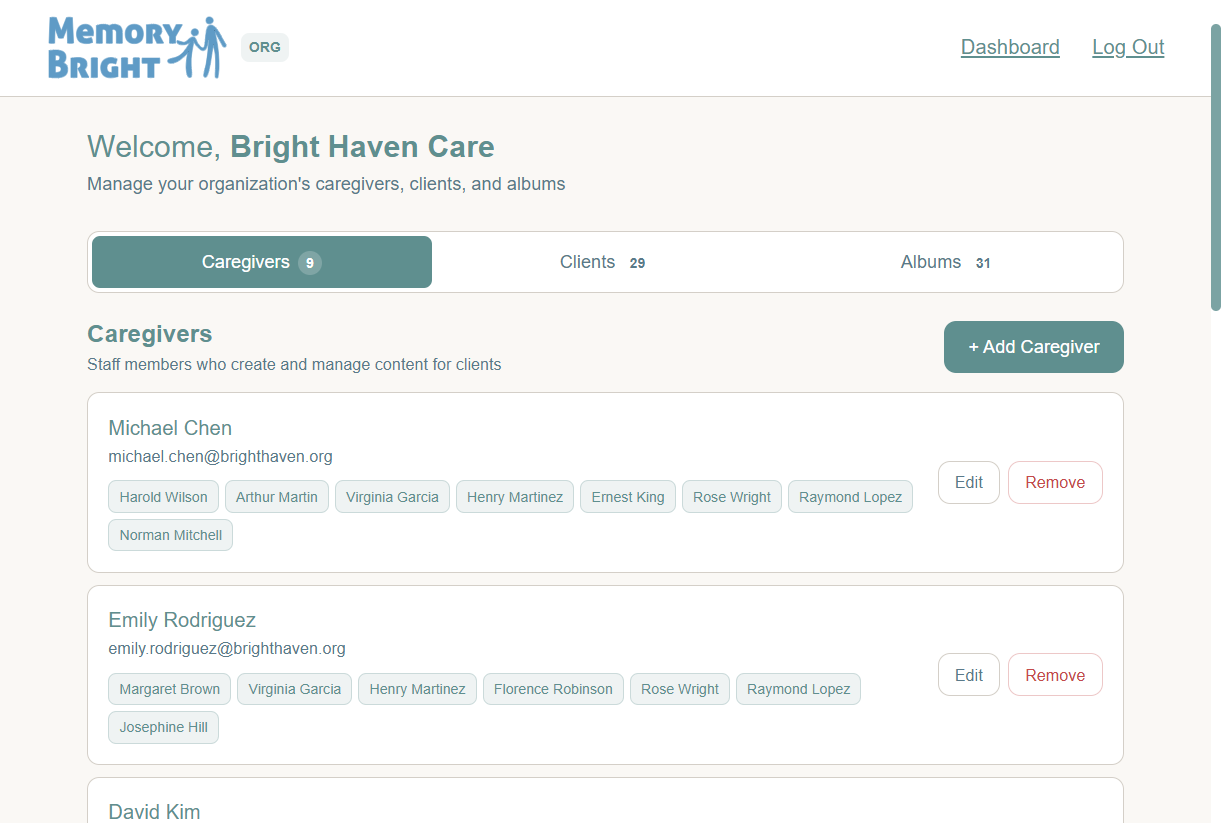
Partner Landing Page showing caregivers, clients, and albums for Bright Haven Care
Partner Landing PageCaregivers, clients, and albums at a glance

Organization-level control

A practical view of the relationships that make the program work.

Administrators can move between caregivers, clients, and albums from the same landing page—making assignments, access, and content easier to oversee.

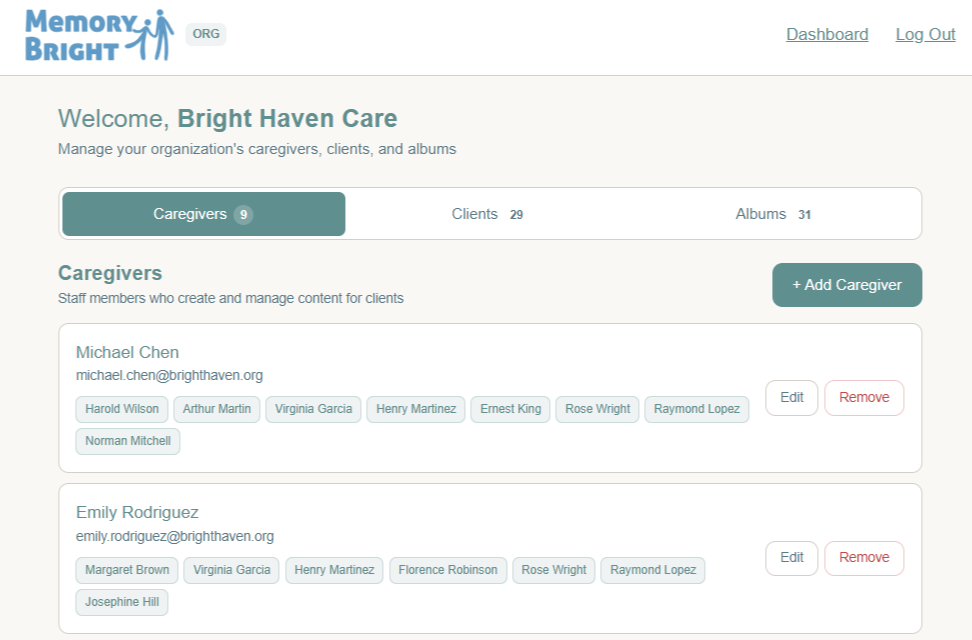
Partner Dashboard caregiver management view

Manage caregivers

Add staff, review client assignments, and update caregiver access.
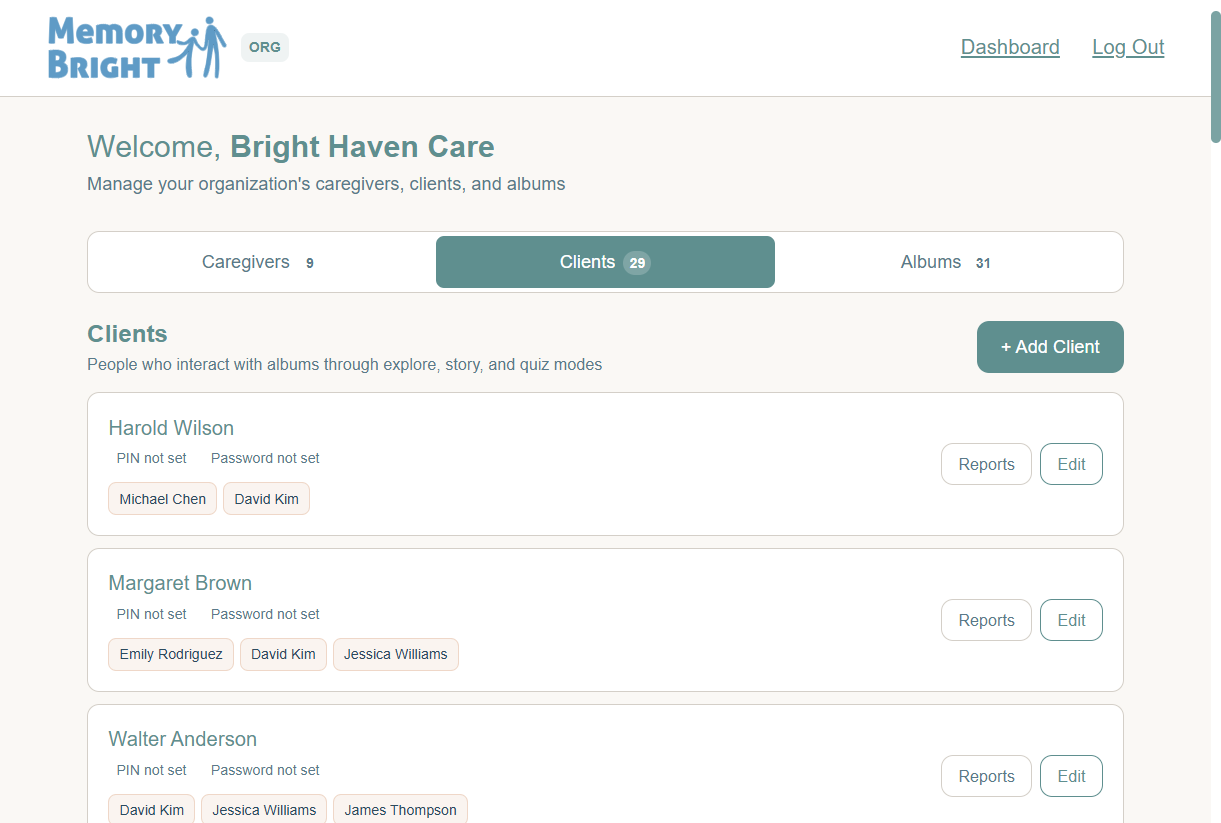
Partner Dashboard client management view

Manage clients

See assigned caregivers, open reports, and manage each client’s access.
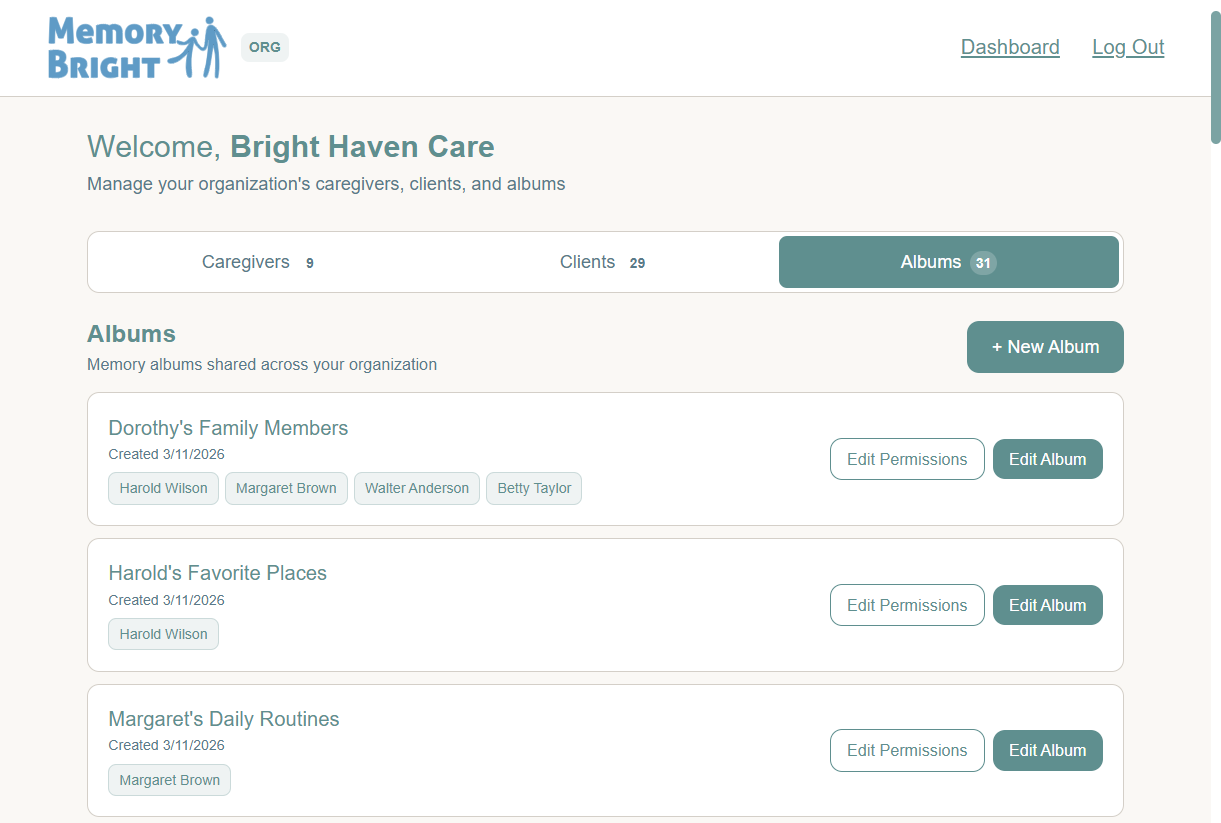
Partner Dashboard album management view

Manage albums

Create Life Albums, edit content, and control who can use each album.

Access built around the person

Put the right client experience in the right hands.

Organizations can manage client profiles, direct-access options, and caregiver assignments from one administrative view.

  • Assign or remove caregivers by client
  • Support PIN, password, or personal link access
  • Keep client and album permissions organized
  • Review access status without searching across systems

Memory Bright complements—not replaces—the organization’s care plan, clinical record, or required documentation.
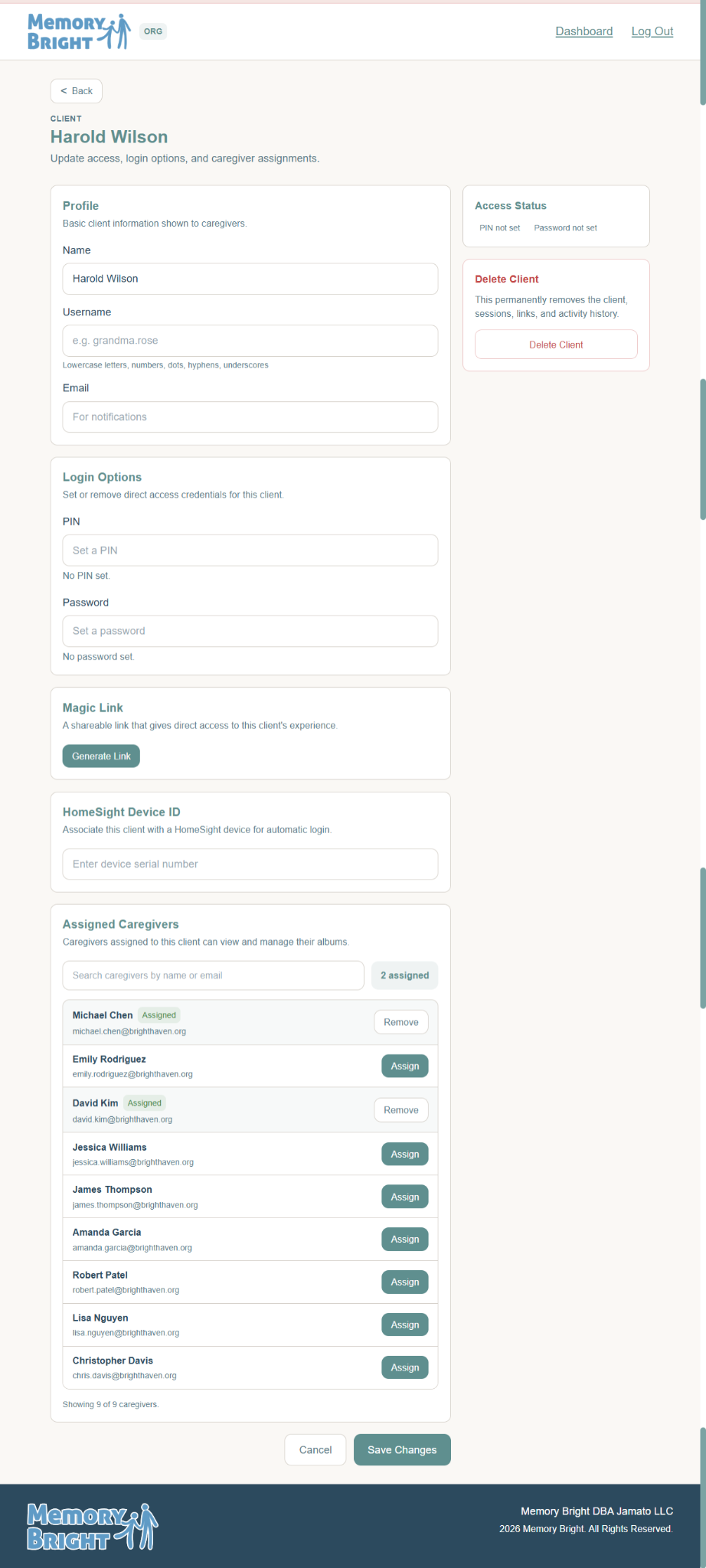
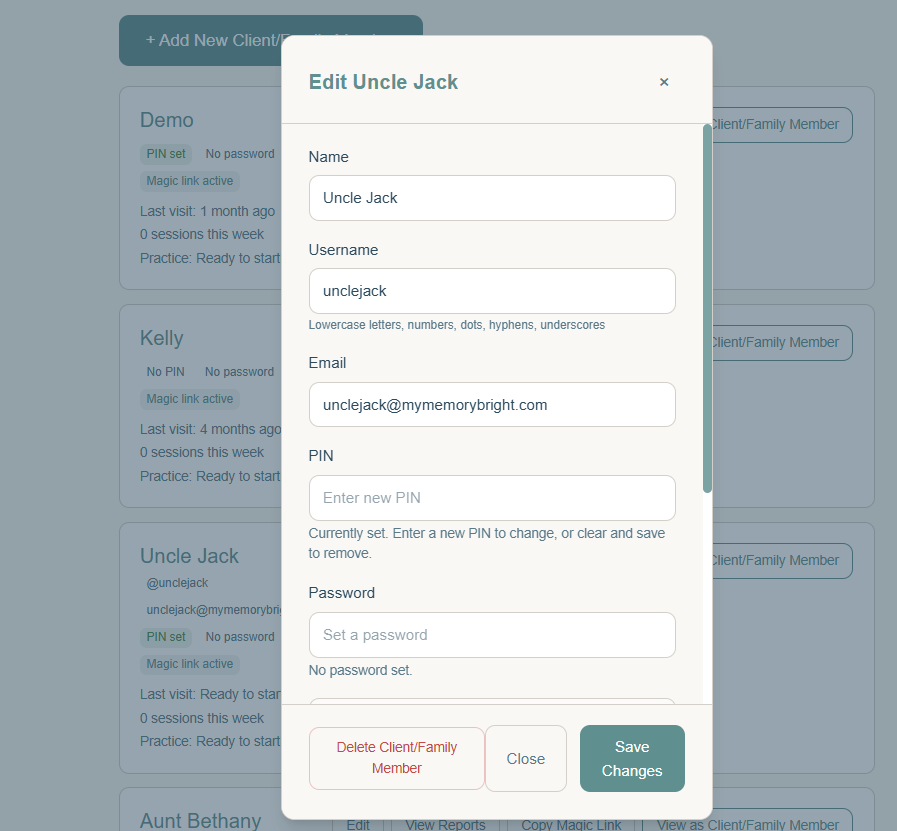
Partner client settings with login options and assigned caregivers
Client administrationAccess options and caregiver assignments
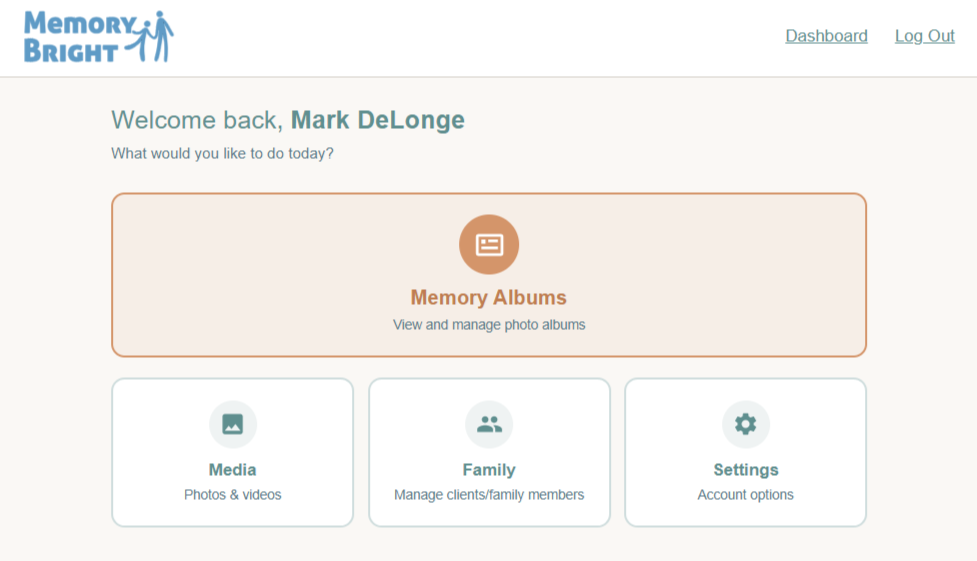
Caregiver Landing Page with Memory Albums, Media, Family, and Settings options
Caregiver Landing PageEveryday tools, clearly organized
Caregiver view for editing a client or family member
Client and family managementProfiles and access within reach

User / Caregiver Dashboard

Give caregivers the tools to act—not another system to navigate.

The Caregiver Landing Page organizes the work around four familiar destinations: Memory Albums, Media, Family, and Settings.

  • Add and manage clients and family members
  • Create and manage Life Albums
  • Add photos, videos, and other album media
  • Manage Family Update subscribers
  • Send Family Updates directly from the dashboard
  • View client engagement reports
  • Manage account and access settings

Connection and visibility

Built-in tools support family communication and program review.

Caregivers can maintain subscriber lists and send Family Updates from the dashboard, while reporting helps teams understand activity and engagement.
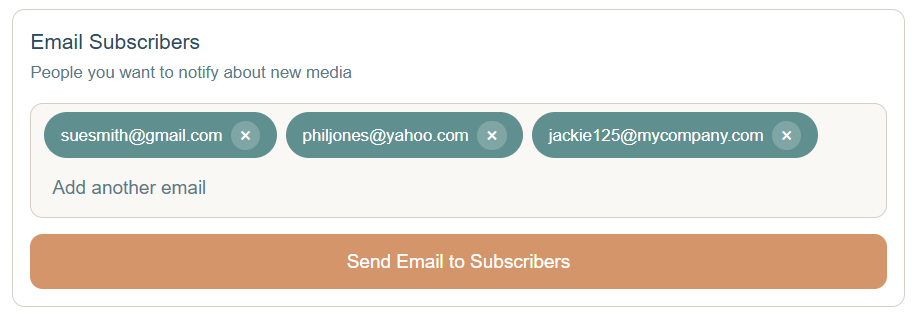
Email subscriber list with a Send Email to Subscribers button

Family Updates

No manual family email required.

Manage selected subscribers and send an update directly from Memory Bright.
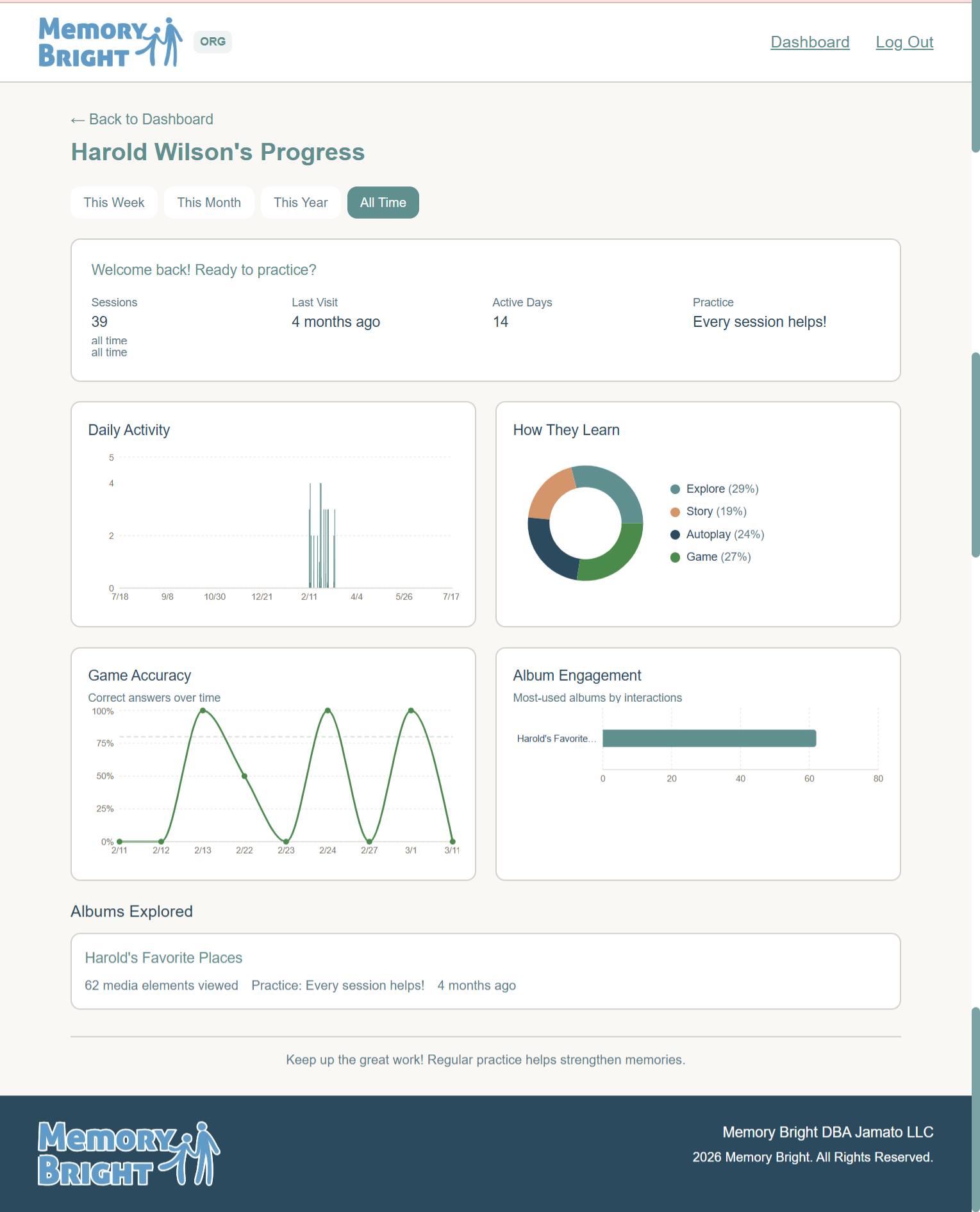
Client progress report with session activity, learning modes, accuracy, and album engagement

Engagement reporting

Review activity without overclaiming outcomes.

See sessions, active days, activity modes, game results, and album engagement over time.

See the complete experience

From organization setup to the client’s next Memory Session.

Schedule a DemoExplore the Client Experience →